By law, every potential employee and candidate you take on must have a Right to Work check to make sure they’re entitled to work in the UK.
Without it, you could be facing fines of up to £60,000 – or five years in prison, if you knowingly employ an illegal worker.
We’re here to take you through the benefits of digital Right to Work checks – and how switching your process from manual to digital can save you a whole chunk of time and effort.
What are Right to Work checks?
Right to Work checks are an identity verification process that informs employers of whether a candidate has a legal right to work in the UK.
They are a legal requirement for every single potential employee, and a crucial step of the hiring process.
What are digital Right to Work checks?
Digital Right to Work checks are a streamlined equivalent of a manual Right to Work check for British or Irish citizens holding an in-date biometric British or Irish passport or passport card, or non-UK citizens who have an eVisa.
They help employers remotely validate the identity of an individual and their eligibility to work in the UK, either using the security features embedded in the identity document or by verifying a Home Office sharecode.
How it works
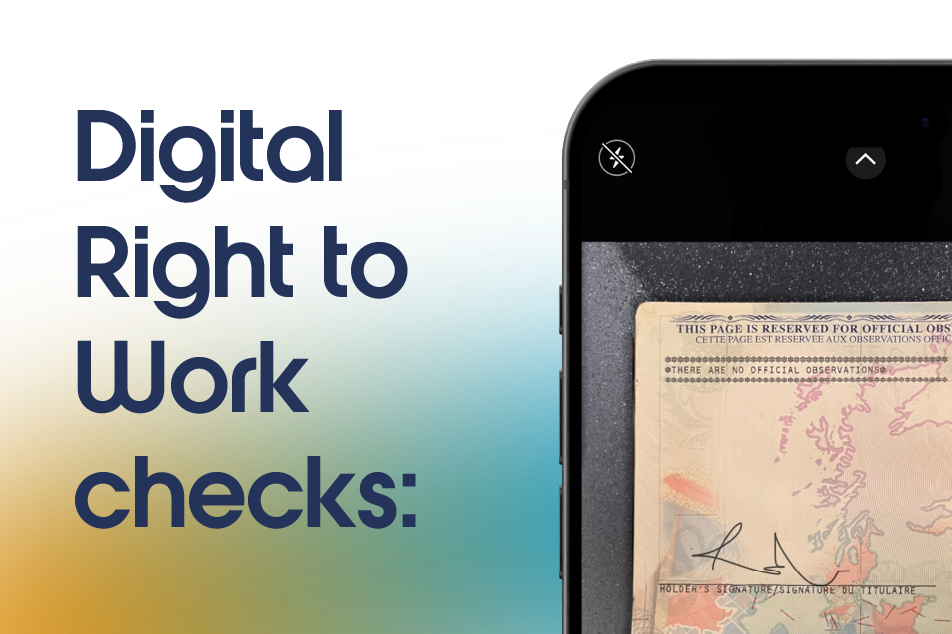
During a digital Right to Work check, a UK or Irish applicant uses their smartphone to:
- Take a photo of their eligible passport/passport card
- Submit a live selfie
The process works by verifying security features within the passport, including the Machine-Readable Zone (MRZ) data, font and colour along with pattern matching and integrity checks to verify whether the image was captured live and is unedited. When combined with a DBS check, this may also involve ‘unlocking’ the biometric chip to read the encrypted data within.
eVisa holders can simply enter their sharecode and date of birth before capturing the selfie. The sharecode digitally proves an employee’s immigration and right to work status, including details of what type of work they may do and for how long.
At the same time, facial recognition technology compares the applicant’s live selfie to the biometric image featured in the document or the eVisa. This confirms that the person completing the check matches the person presenting the Right to Work evidence.
How to complete a digital Right to Work check
With uCheck, digital Right to Work checks can be combined with digital identity checks in our DBS checking system.
- Log into uCheck: Sign up or login to the uCheck platform
- Request a DBS check: DRTW checks are available with any of our DBS checks – Basic, Standard, or Enhanced
- Toggle Digital ID: Digital ID enables Digital Right to Work to happen
- Toggle Digital Right to Work: With Digital ID toggled, you will then get the option to toggle Digital Right to Work.
- Complete your application as normal: Either issue your DBS application form to your applicant, or complete it if you hold the relevant information, as normal. The digital identity and Right to Work check appears at the end of the process, prompting your applicant to submit their applicable identity evidence along with a selfie.
Digital Right to Work check benefits
- Increased speed: Digital checks can be completed in minutes. And without needing to manually review physical documents, you can reduce onboarding delays.
- Improved security: Using document validation technology combined with biometric facial recognition technology provides a higher level of assurance than a manual document inspection using a consistent, secure process.
- A better experience: For both employers and applicants, digital Right to Work checks provide a more streamlined, user-friendly experience which can be completed whenever and from wherever it suits.
Digital Right to Work check drawbacks
- Limited eligibility: Unlike traditional Right to Work checks, Home Office guidance means that digital Right to Work checks aren’t compatible with all documents – so you’ll need to check beforehand that your applicants are eligible.
- Requires technology: The completion of the check depends on your applicant being able to successfully use the technology. Most Right to Work providers have, however, designed their services to be compatible with modern smartphones and tablet devices.
What should you do next?
If you’re still relying on manual Right to Work checks, you could be spending unnecessary time arranging meetings, reviewing documents, and storing paperwork.
Digital Right to Work checks can offer a faster, more secure, and more efficient way to meet your legal obligations – while improving the onboarding experience for your candidates.
With uCheck, you can combine DBS and digital Right to Work checks in one seamless process, reducing admin and keeping everything in one compliant system.
Get in touch with uCheck today to find out how you can combine digital identity and digital Right to Work checks to simplify your hiring process and help protect your organisation from risk.
If you’re unsure whether digital Right to Work checks are right for your organisation, or you’re not sure which type of check you need, our team is here to help. Just get in touch on 0330 113 33 33 or email us at info@ucheck.co.uk.
Which documents are eligible for a Digital Right to Work check?
Digital Right to Work checks can be completed on employees who are UK or Irish citizens with:
- An in-date biometric UK or Irish passport,
- Or an in-date biometric Irish passport card
You can also digitally verify eVisas if your employee can provide you with a sharecode and their date of birth.
For all other documents that are usually eligible for proving Right to Work in the UK (e.g. expired British/Irish passports, birth certificates, or eligible international passports with visas) an employer still has to go through a manual document check.
How does the process work at uCheck?
Our Digital Right to Work service can only be used alongside our DBS checking service. It’s not a check that we currently offer by itself.
This is the process that you, the employer, will follow:
- To get started, confirm that your applicant is eligible for a digital Right to Work check.
- Log into the uCheck portal and select your DBS check of choice.
- Toggle ‘Digital ID’ – this is what allows the digital identity check and therefore the digital Right to Work service to work.
- Toggle ‘Digital RTW’.
- Click ‘Start application’ to complete the application on the candidate’s behalf, or ‘Copy link’, if you’d like to send the check to the applicant to complete themselves. Whoever is completing the check will then be taken from uCheck’s HR Platform and to the DBS application form.
- Follow the guidance to make sure you have the correct information and eligible documents for your applicant. Then click ‘Start Now’.
- Fill out your applicant’s details and sign the declaration to show you have confirmed the information to the best of your ability.
- You will then be taken to the Digital ID and DRTW verification page. Click ‘Continue with your Digital ID’. You will then be taken to the TrustID identity verification page. TrustID is our sister company, and a certified Digital Verification Service provider (DVS).
- Email the Digital ID and DRTW verification code to your applicant for them to complete.
- Once your applicant has verified their identity, you’ll receive a notification on the uCheck HR platform that says, ‘The Right to Work status for your applicant has been verified digitally’.
What are the benefits of using a Digital Right to Work checking service?
A digital identity check leads to a better experience for both you and your candidates. Your applicants can upload images of their documents remotely, saving time and effort that would otherwise be spent travelling to an in-person documentation review.
Additionally, DRTW uses Identity Document Validation Technology (IDVT) through TrustID. This offers a secure, robust way of document verification that removes the risk of human error in the checking process and successfully identifies fraudulent documents.
How long do Digital Right to Work checks take?
With DRTW checks, employers send an application link to their candidates. Candidates then photograph their documents and take a selfie to confirm their identity. Employers will receive a downloadable .pdf showing the verification results once the check is completed.
These results are often returned within a couple of minutes but it may take up to 4 hours after submission if the applicant’s evidence requires further review.
What do I do if a candidate’s UK/Irish biometric ID has expired?
If your candidate’s UK or Irish passport or Irish passport card has expired, then they aren’t eligible for a Digital Right to Work check and our service can’t be used.
These expired documents need to be reviewed manually so you will need to ask your applicant to share a physical copy of their documents.
Can I just access a Digital Right to Work check for my candidate, without a DBS check?
At uCheck, the only way to access a DRTW check is via our DBS checking service. You cannot request a DRTW check by itself. However, bundling these services offers a more streamlined experience and speeds up your overall screening process, since multiple checks can be performed at once, and your applicants don’t have to fill out their details multiple times.
What’s the difference between Digital ID verification and Digital Right to Work?
Digital Identity Verification allows applicants to digitally prove their identity by sharing ID documents using our sister-service, TrustID. This digital verification can then be used in support of a DBS application. The range of digitally acceptable documents specified by DBS is broader. You can find out more here.
Digital Right to Work checks use the eligible digitally verified documents to then assess whether the holder has the Right to Work in the UK.